🤖Have you ever tried Chat.M5Stack.com before asking??😎

Subcategories

  • Lessons and Guides for Uiflow

    125 Topics
    434 Posts
    A
    Hi, I'm a new user of M5stack products, having got an M5StickC Plus2 recently. It's a nice device, but the documentation isn't always accurate which makes learning how to use it a slow process. I tried to use the example for drawing a raw buffer to the screen here But it resulted in different garbled output each time and not a green rectangle. It seems that the len parameter is expecting 16-bit entries in the buffer so needs to be halved. Here's the code that works on my device (note the //2 for len parameter): width, height = 40, 30 green565 = 0x07E0 raw_buf = bytearray(width * height * 2) for i in range(width * height): raw_buf[2*i] = (green565 >> 8) & 0xFF raw_buf[2*i+1] = green565 & 0xFF Display.drawRawBuf(raw_buf, 100, 100, width, height, len(raw_buf)//2, swap=False) Hopefully this will help others and eventually get changed in the docs - assuming it's the same for all UIFlow2 supported devices? If anybody knows a fix to make it work properly for lower than 16bit depth screens so I can draw a raw buffer to a 1-bit canvas properly, please let me know!

  • 212 Topics
    790 Posts
    Y
    Hello I faced problem about digi-clock write charcter block. Problem is 3rd and 4th digit can not display with this block. I created below flow. Then Digi-Clock displays "0.1.:" for 1st and 2nd digit and colon. [image: 1778319992199-1aae8860-52c1-4c60-9097-5668ed98e2ee-image.jpeg] Howerver, index of write character block can be set only 0 to 4. Therefore it could not display 3rd and 4th digit. I think this index shoud be set 0 to 8. It doesn't work if index forced set to 5 to 8. (It was same behavior as 0 if index is set to 5.) I think the index for DigiClockUnit.set_char should be 0–8, not 0–4. https://uiflow-micropython.readthedocs.io/en/latest/unit/digi_clock.html Could you please kindly consider to fix this issue? (Or let me know please if any other solution available.) #Write raw data and write string blocks are works correctly. Using device -AtomS3 lite -Digi-clock UIFlow version:2.4.4 FW version:2.2.5 OS:Windows11 Thank you in advance Best Regards Yamada
  • 11 Topics
    33 Posts
    A
    @jeanfabre On web, just choice block type. [image: 1729260517944-86b7a25c93207d9a32e5b33471bb1f0.png] For code, add return description like this: def func(self) -> int: return 0
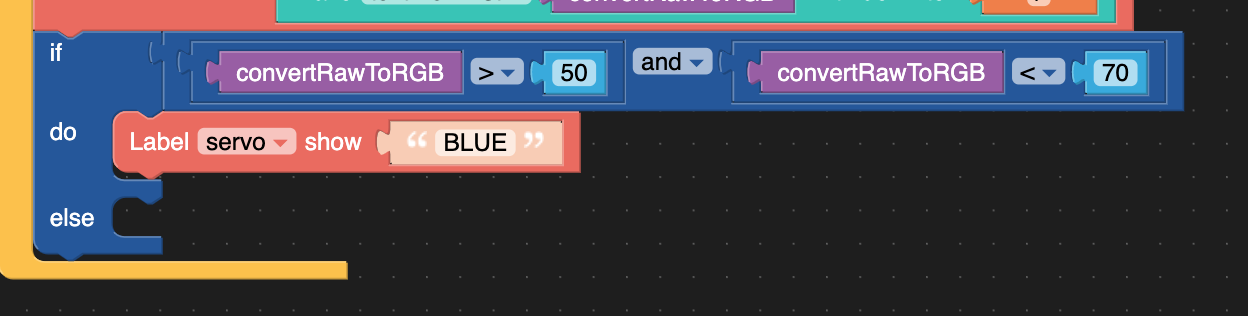
  • Multiple AND/OR cases within an if statement

    7
    1
    0 Votes
    7 Posts
    11k Views
    mathiasM
    @dario Thanks!
  • 0 Votes
    3 Posts
    5k Views
    P
    Tnx sodoku. If found the Problem was only in my head. It works with TX-Pin 1 and RX-Pin 3!
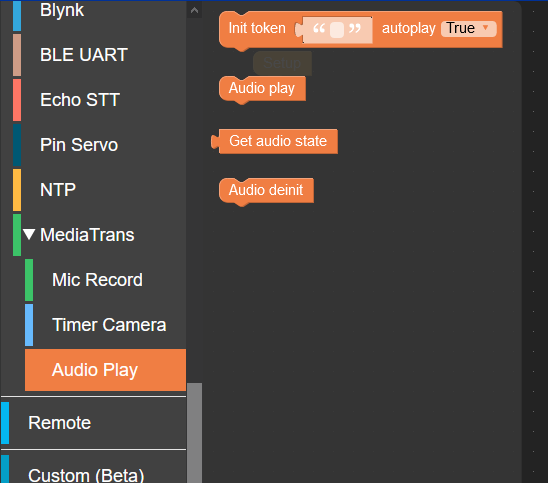
  • MediaTrans Mic Record and Audio Play documentation

    1
    2
    2 Votes
    1 Posts
    4k Views
    No one has replied
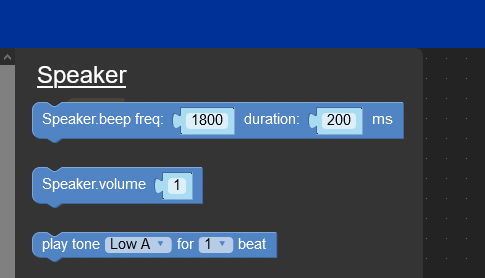
  • Add Speaker.beep and Speaker.volume to Core2

    2
    1
    3 Votes
    2 Posts
    5k Views
    D
    I have moved this request in the new Feature Wish List channel. If you, like me, desire to have this feature, please upvote the post new post.
  • Restart m5stickC from micro python

    3
    0 Votes
    3 Posts
    3k Views
    D
    Great thanks - didn't try play due to this comment in the documentation "MQTT program must be downloaded to use!" Have tried it and play seems to work ok. I seem to have to reset the device though to download a new version of the code, but the good news at that after reset it goes back ok into the cloud connect mode ready to receive a new version. I have found that I can do this - programatically using import machine machine.reset() Just wondering if there is a way to avoid having to do this step when operating in play mode.
  • req.status_code

    5
    0 Votes
    5 Posts
    7k Views
    W
    ''' Update der Settingdaten holen--------------------------------------- if (Verbindung) == 1 and wifiCfg.wlan_sta.isconnected(): #Nur bei bestehender Internet Verbindung print("-----------------------------------------------") print("Überprüfe ob es eine Online-Setting Datei gibt") try: try: req = urequests.request(method='GET', url=settings.Gateway+'onlinesettings.txt') print('onlinesettings.txt wurde auf vorhandensein überprüft') print(str(req.status_code)) time.sleep(1) except: print('onlinesettings.txt ist nicht vorhanden') if (req.status_code == 200) : print('onlinesettings Uebertragung OK') if (ssd1306) == 1: if (settings.Display) == 1: lcd.print("Online Update, Setting erfolgt...",0,170,0xb8b8b8) time.sleep(1) #Warte 1 Sekunden with open('/sd/settings.py', 'w') as updatefile: updatefile.write(req.text) updatefile.close() print('onlinesettings wurde neu erstellt') time.sleep(1) #Datei wieder löschen------------- req = urequests.request(method='GET', url=settings.Gateway+'killsettings.php') print('Setting Datei wurde auf dem Server wieder geloescht') time.sleep(1) Setting_Online_Update = 1 else: print('Keine Setting Datei vorhanden!') print("-------------------------------------------") except Exception as e: print('Fehler!') print(e) Update der Settingdaten holen--------------------------------------- # On Off Einstellungen holen--------------------------------------- if (Verbindung) == 1 and wifiCfg.wlan_sta.isconnected(): #Nur bei bestehender Internet Verbindung print("Überprüfe ob übers Internet ausgeschaltet wird") try: try: req1 = urequests.request(method='GET', url=settings.Gateway+'onoff.txt') print('onoff.txt wurde auf vorhandensein überprüft') print(str(req1.status_code)) time.sleep(1) except: print('onoff.txt ist nicht vorhanden') if (req1.status_code == 200) : print('onoff Uebertragung OK') OnOff = 0 # An Aus Schalter = Aus #Datei wieder löschen------------- req2 = urequests.request(method='GET', url=settings.Gateway+'killpoweronoff.php') print('On-Off Datei wurde auf dem Server wieder geloescht') time.sleep(1) else: print('Keine On-Off Datei vorhanden!') print("-------------------------------------------") except Exception as e: print('Fehler!') print(e) # On Off Einstellungen holen---------------------------------------
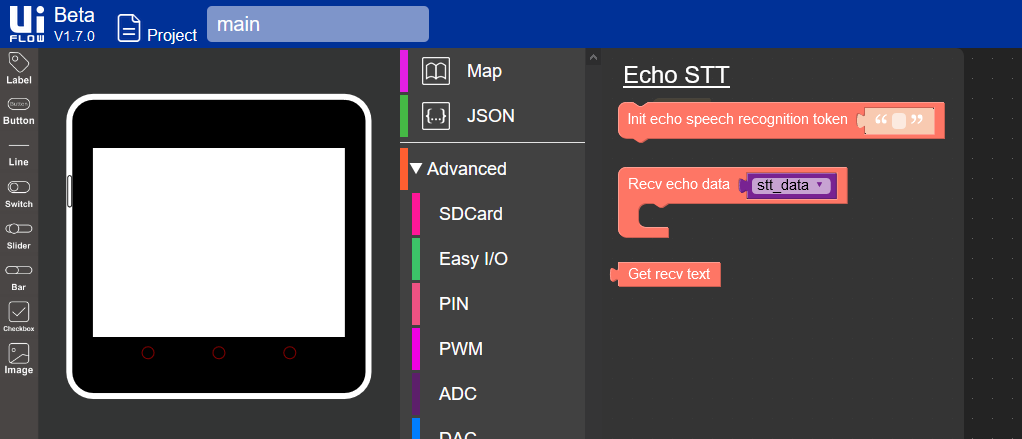
  • Add Echo STT to Core2

    1
    1
    1 Votes
    1 Posts
    3k Views
    No one has replied
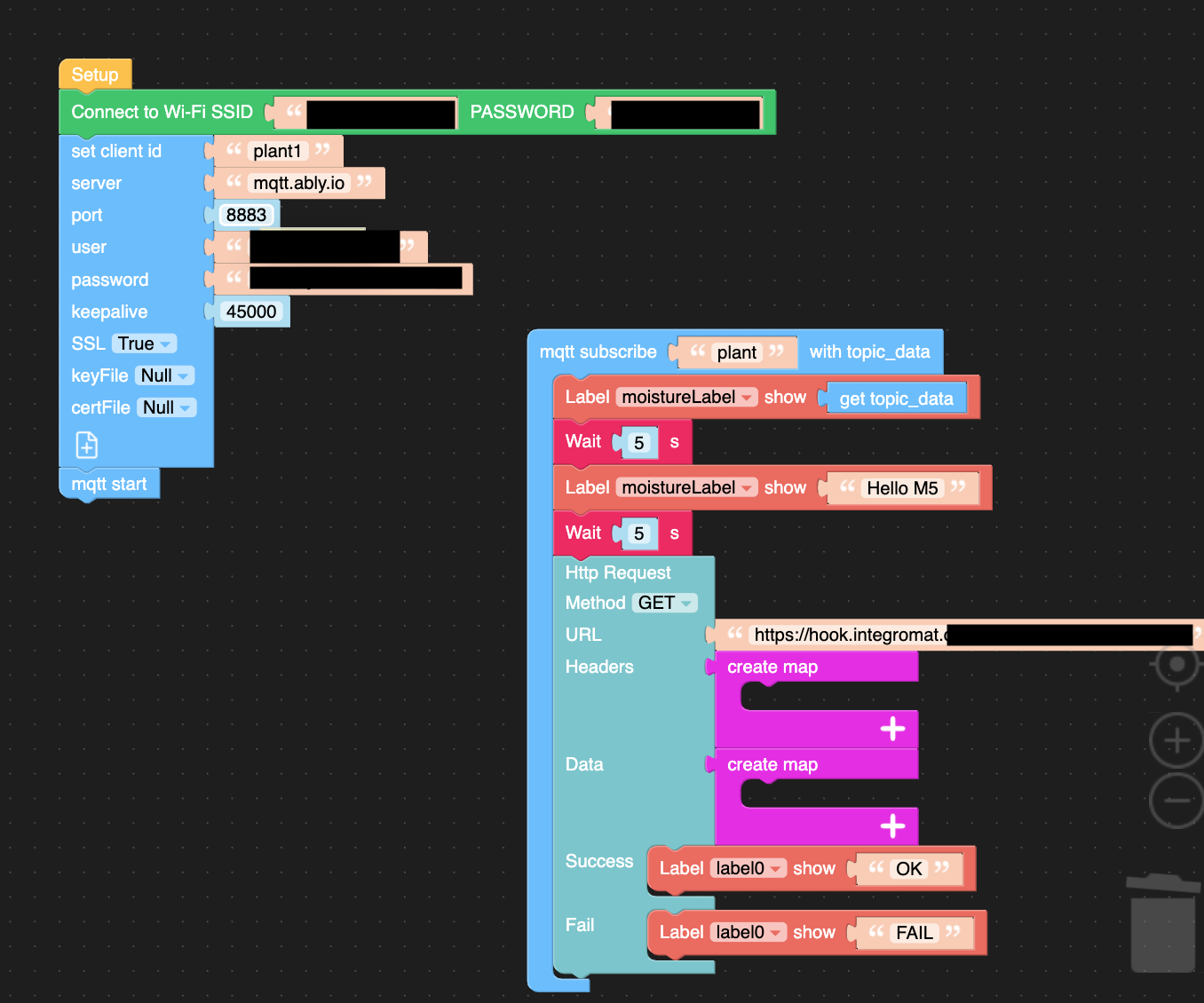
  • Webhook via HTTP ist nicht stabil

    2
    1
    0 Votes
    2 Posts
    7k Views
    mathiasM
    Found the solution. Within the HTTP Request it was the wrong method for the integromat.com example. It has to be POST not GET. This way it works as expected.
  • Import python module in UIFlow project

    3
    0 Votes
    3 Posts
    6k Views
    N
    thanks @world101 I've seen this block but I can't manage to paste anything in it, it looks like pasteboard doesn't work in UIFlow IDE ... do you know any workaround ? (besides emulating keystrokes ...) Edit : Ok I managed to drag and drop the code in the Execute block text field, and I think we can edit it in the Python tab. Will try stuff now, thanks !
  • UIFlow Block tools

    2
    0 Votes
    2 Posts
    6k Views
    lukasmaximusL
    nicely done
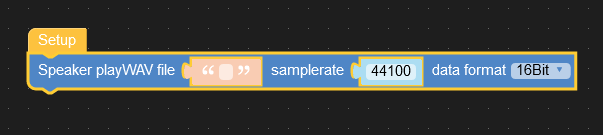
  • Core2 how to load WAV files

    4
    1
    0 Votes
    4 Posts
    9k Views
    D
    Thanks Lukas, great video
  • WiFi autoreconnect without clicking the button M5StickC

    1
    0 Votes
    1 Posts
    3k Views
    No one has replied
  • Change font size of the Title text

    1
    1 Votes
    1 Posts
    4k Views
    No one has replied
  • 0 Votes
    1 Posts
    5k Views
    No one has replied
  • Use UiFlow IDE to write code. Is this the correct Method?

    2
    0 Votes
    2 Posts
    4k Views
    R
    Option 2 works so that it additionally saves your .m5b project in the / block or / blocks folder on the device and simultaneously the generated micropython code in the / apps folder on the device. In uiflow ide you can download your project from the device again to uiflow (the icon next to the button, run "device file manager") and continue editing and make changes. I generally use 3 options until the program works as I want and then I finally load it to the device using the "download" option. Coming back to the first option, only the project is saved, i.e. the block arrangement and their parameters. No python code is written anywhere, as it is automatically generated in the uiflow environment and saved only in the second and third cases. In the third case, only a temporary .py file is saved and launched on the device, but it is not visible in the list of applications. This file stay in flash until its rewriten by next use "run" button.
  • Run button in UiFlow Windows Desktop IDE working intermittently?

    1
    0 Votes
    1 Posts
    2k Views
    No one has replied
  • Is this possible?

    4
    0 Votes
    4 Posts
    5k Views
    R
    If the code was created in the arduino environment and compiled and uploaded to atom. The result code is already uploaded, understandable only by the target device processor. It is possible to read such a program from the device and decompile it into C, but the decompiled code may be unreadable to you (It still be functional). During compilation, all descriptive names of variables and names of called functions are lost and converted to specific addresses in memory and program jumps to a specific address. You just write your source code in arduino. You save a copy of it on your PC / laptop. When uploading to the device, the code is compiled and uploaded where necessary. There is no need to rip it back from the device (see description above). You simply make the changes you need to your saved source code and compile and upload your changed code again back to the device.
  • Access Apps Directory on M5Stack Fire from Off line UiFlow IDE

    1
    0 Votes
    1 Posts
    2k Views
    No one has replied
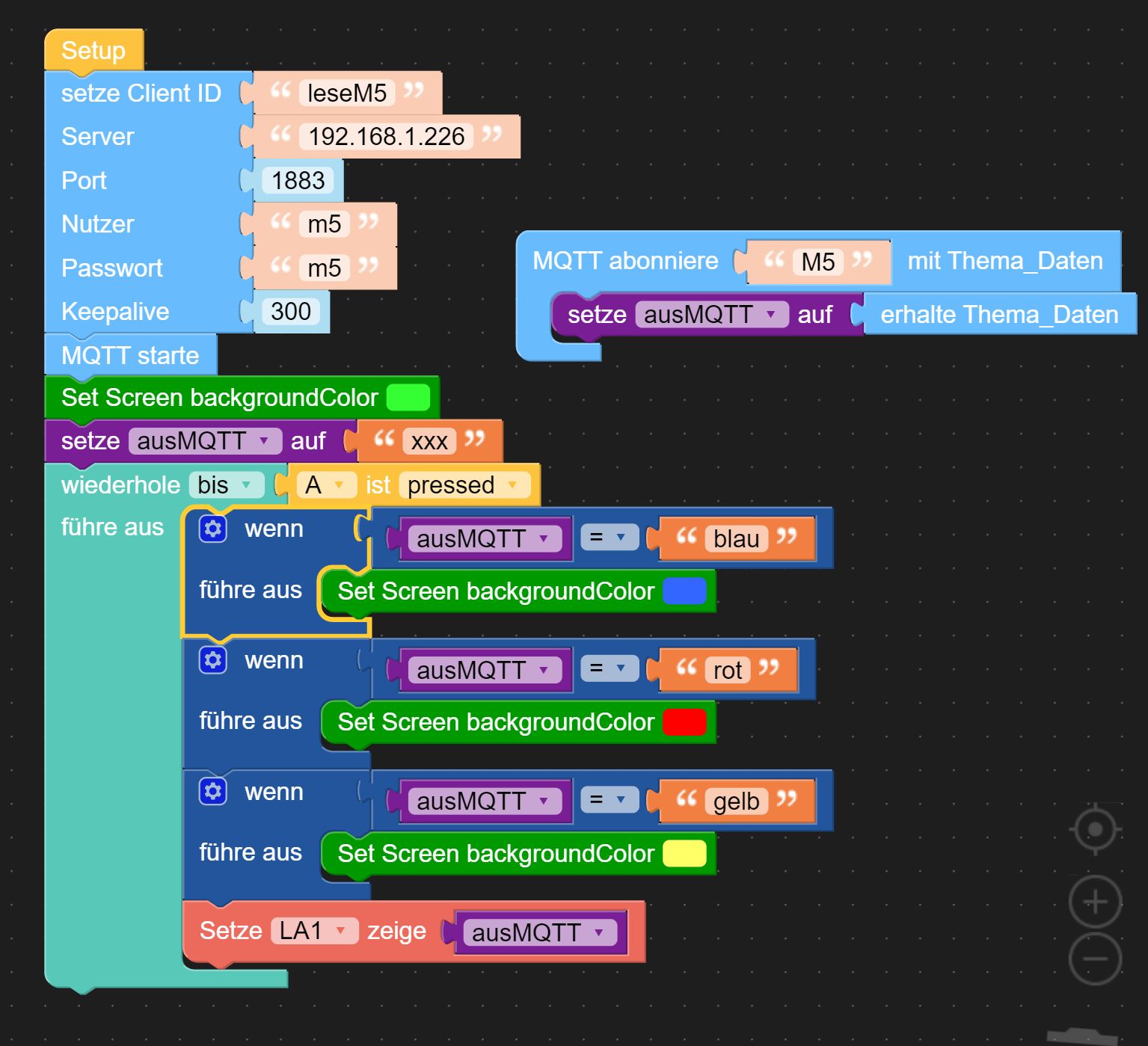
  • MQTT connection of CORE2 with UIFlow.

    uiflow
    7
    0 Votes
    7 Posts
    11k Views
    ZontexZ
    @ikabou Bug confirmed and reported, we will release a fix in the next update.
  • How to exit Core2 setup Wi-Fi Config?

    7
    0 Votes
    7 Posts
    12k Views
    ZontexZ
    @mb It doesn't show internet connectivity because the M5Stack device is operating on AP mode (no internet connection) it expects you to open your browser and enter the IP address 192.168.4.1 so you could give it your wifi credentials, once the M5Stack is connected to your wifi network you can start using it using UIFlow