🤖Have you ever tried Chat.M5Stack.com before asking??😎
  • Change font size in python

    Pinned Moved
    1
    0 Votes
    1 Posts
    9k Views
    No one has replied
  • Note, Do not submit questions in this section.

    Pinned
    1
    0 Votes
    1 Posts
    9k Views
    No one has replied
  • 不会抬头了……

    1
    0 Votes
    1 Posts
    62 Views
    No one has replied
  • AC Measure Unit (HLW8032) buggy?

    2
    0 Votes
    2 Posts
    1k Views
    robskiR
    @johnericsutton hard to believe that unit is designed in such way to report value only when measured source is above 0...
  • 0 Votes
    1 Posts
    592 Views
    No one has replied
  • M5 Tough - M12 x 1.5 nut Removal?

    2
    0 Votes
    2 Posts
    2k Views
    robskiR
    its easier from inside - just undo nut - than using screwdriver in "bolt" flat slot from outside
  • 0 Votes
    3 Posts
    3k Views
    robskiR
    just load fresh firmware via M5Burner or easyloader demo version to check it out, I have Core basic which LCD stopped working few years ago after loading new project bizarre... but controller itself still works just I cant use screen
  • How to create a server with sim800l module?

    3
    0 Votes
    3 Posts
    10k Views
    H
    To create a server with SIM800L, use GPRS to get a dynamic IP from your carrier. Enable TCP listening with AT+CIPSERVER=1,80. Forward incoming data to your M5Stack via serial. Since the IP is dynamic, use a DDNS service or periodically send the IP via SMS/email. Alternatively, have the M5Stack poll a cloud server for commands. SIM800L has limited capabilities, so keep the website simple (raw HTTP requests). Check the SIM800L AT command manual for TCP/IP setup details.
  • Cardputer COM Not Working

    87
    0 Votes
    87 Posts
    198k Views
    H
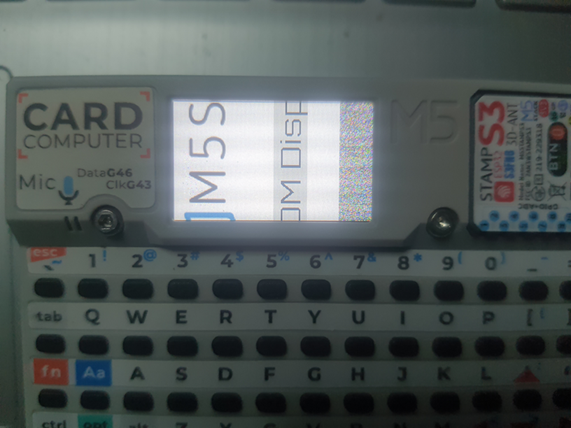
    Make sure you're holding the "G0" or "BOOT" button while plugging in the USB or clicking "Burn"—this puts the Cardputer into flash mode. Also try a different USB cable (some are charge-only), and plug directly into your PC (avoid hubs). Lastly, check Device Manager to confirm the COM port is stable and not switching. If all else fails, try flashing with esptool manually via command line.
  • Please tell me how to use ApiYolo Class with images from coreS3's camera.

    2
    0 Votes
    2 Posts
    2k Views
    U
    You have to capture a jpeg from the camera buffer and pass it to the llm... An example could be: uint8_t* out_jpg = NULL; size_t out_jpg_len = 0; frame2jpg(CoreS3.Camera.fb, 255, &out_jpg, &out_jpg_len); CoreS3.Camera.free(); module_llm.yolo.inferenceAndWaitResult( yolo_work_id, out_jpg, out_jpg_len, [](String& result) { /* do something with result */ .... }, 2000, "ID"); free(out_jpg); the result will contain: {"bbox":["195.86","197.75","319.00","280.27"],"class":"keyboard","confidence":"0.69"} HTH

  • 1 Votes
    1 Posts
    2k Views
    No one has replied
  • 0 Votes
    8 Posts
    6k Views
    robskiR
    @xhozt try one of oldest firmwares maybe to see if this helps
  • 0 Votes
    1 Posts
    4k Views
    No one has replied
  • Does the M5stickC Plus2 support thermal camera hat (MLX90640 ) ?

    1
    0 Votes
    1 Posts
    1k Views
    No one has replied
  • PUSH-6060 schematics

    push-6060
    4
    0 Votes
    4 Posts
    10k Views
    S
    I second this. I have bought a 6060-PUSH unit and so far have been unable to use it at all. I'm very happy with the M5Stack ecosystem so far but having this currently useless piece of equipment means I am not going to spend any more money on M5Stack equipment if support is this poor.
  • RTC8563 Error when compiling

    1
    0 Votes
    1 Posts
    4k Views
    No one has replied
  • CC1101 won't work on m5StickCPlus2 please help me

    3
    0 Votes
    3 Posts
    4k Views
    K
    @flypeek i know that but it still doesn't capture any signals it says that the cc1101 is found but doesn't work idek ????
  • COM.LTE (SIM7600G-H) on Verizon Network

    5
    0 Votes
    5 Posts
    8k Views
    M
    @felmue What is the IMEI for the device? What other networks has it been tried on?
  • how to connect 2 m5stack together using a PH 4Pin Cable

    1
    0 Votes
    1 Posts
    2k Views
    No one has replied
  • Newbie looking for advice

    6
    0 Votes
    6 Posts
    7k Views
    C
    @ioamas I have an M1 MacBook Pro and I was having issues getting M5Burner to successfully upload applications. M5Burner seemed to find a port but would throw an error during upload. I eventually found that if I have the Cardputer turned off and hold the Go button down while connecting the USB cable, I was able to successfully upload apps with M5Burner. I don't know if I have any legacy drivers installed for other microcontroller work I've done, but I didn't have to install any new drivers to get this working. I did find that following the instructions on the UIFlow 2.0 Quick Start page: "After the Device is turned on, press and hold down the G0 key, insert the USB port, enter the download mode, after connecting, the software will pop up Found New Device." ...didn't work for me, with the only difference apparently that I had my Cardputer turned off when plugging in the USB cable while holding the Go button. Also, of course, make sure your USB cable is a data cable, not just a power cable.