🤖Have you ever tried Chat.M5Stack.com before asking??😎
  • PuppyC schematic

    2
    0 Votes
    2 Posts
    5k Views
    m5stackM
    what kind example are you need ? if just Arduino example code. you can find it on our Github page github link :https://github.com/m5stack/M5-ProductExampleCodes/tree/master/Hat/PuppyC
  • SH200Q vs. MPU6886 vs. IMU scaling

    4
    0 Votes
    4 Posts
    9k Views
    m5stackM
    @mdevel1 The only way is to detect the hardware
  • Defective Axp M5StickC (orange edition)?

    6
    0 Votes
    6 Posts
    11k Views
    C
    @maxrom @world101 @m5stack I opened the M5StickC and was kind of shocked of the obviously bad quality checks. 1. the 5V raiser pin to the hat connector wasn't soldered at all. 2. they are using a MP1541 switching regulator labeled as IB3GG to provide the 5V power. This is a heavy design fail and explains a) why the power never shuts off, but only drops to ~3,6V and b) why the batteries drain when shut off. Have a look at page 9 of the datasheet: https://www.mouser.de/datasheet/2/277/mp1541_r1.5-1398052.pdf If the regulator is disabled power from the battery flows through L1 and D1 to the output. This is an explanation for another hardware revision using another switching regulator or placing a MOSFET before the IN pin triggert by the EN signal as well. Cheers, CK [image: 1581363965055-photo5336783245565603287.jpg] [image: 1581363970693-photo5336991349615996179.jpg]
  • Screen stopped working, nonsense AXP data

    2
    0 Votes
    2 Posts
    5k Views
    mdevel1M
    For the record: the coulomb counter data is fixed, but still undocumented in the newest version of the library (not released yet, only on Github). There was another issue with the newest version, with a fix that is not yet merged, and available only as a pull request.
  • Multi Version M5StickC

    2
    0 Votes
    2 Posts
    3k Views
    hagueH
    Hi, What exactly happens, when you say "instruction not works"? Does your code compile but the screen brightness doesn't change? Have you tested other AXP function like the Battery status: char text_buffer[32]; M5.Lcd.fillScreen(TFT_BLACK); M5.Lcd.drawCentreString("Battery status:", 80, 20, 2); snprintf(text_buffer, sizeof(text_buffer), "%.2fV --- %.2fmA", M5.Axp.GetBatVoltage(), M5.Axp.GetBatCurrent()); M5.Lcd.drawCentreString(text_buffer, 80, 40, 2); Is that working?
  • Different board versions

    8
    0 Votes
    8 Posts
    17k Views
    mdevel1M
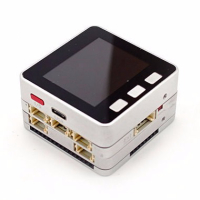
    There is a new case: 2019.10 Upgrade the bottom and add copper nuts. PCB is unknown in this version. Image from Lang-Ship and M5Stack on Twitter
  • GROVE connector - still powered when StickC (orange) is turned off?

    5
    0 Votes
    5 Posts
    10k Views
    mdevel1M
    @maxrom Hi, can you post pictures of the yellow PCB to the Different board versions topic? I'm going to copy the pics of @world101 there.
  • M5StickC screen don't work

    25
    0 Votes
    25 Posts
    107k Views
    C
    @nsfilho Not very long, 3s max. I didn't know that, thanks for warning! The problem keeps reappearing so I will keep that in mind.
  • MPU6866 - i2c access

    3
    0 Votes
    3 Posts
    5k Views
    lukasmaximusL
    This is something I also find quite bizarre, and is an issue with the new M5Atom also. the address should be 0x68 but on using the i2c scan program on m5atom which also has an mpu6886 no addresses are found. then I found this in the arduino header file which puzzles me. void setup() { M5.begin(true, false, true); if (M5.IMU.Init() != 0) IMU6886Flag = false; else IMU6886Flag = true; } why should it's address be zero. It seems like this code works in arduino in the case of the M5Atom but I cannot find a workaround for micropython.
  • How to recharge the battery

    8
    0 Votes
    8 Posts
    16k Views
    mdevel1M
    @skink Can you test with https://github.com/mdevel1/M5StickC_Battery_Monitor? The best would be logging the data via a serial port and uploading it to a file sharing site (with a complete charge/discharge cycle). I plan on adding some graphing (first on desktop, then on device) to the project in my (not enough) free time.
  • Ultra Low Power Stick, Is There a Market?

    10
    0 Votes
    10 Posts
    22k Views
    world101W
    @mati said in Ultra Low Power Stick, Is There a Market?: HI, what about this idea: wake connect to wifi display to 100 read light sensor ping m5stack.com wait 5 sec display go down to 30 deepsleep 10 sec. all is native base on latest m5stack uiflow. only the ping is extra lib imported and bit modded. https://youtu.be/7Cj48WF9Azw When you say "all is native base on latest m5stack uiflow" do you mean the uiflow firmware or the Blockly blocks? Because I don't see a block for deep sleep in uiFlow. I'm interested in getting deep sleep working with uiFlow.
  • M5stick C + fingerprints module

    1
    0 Votes
    1 Posts
    2k Views
    No one has replied
  • MicroPython port form M5StickC

    11
    0 Votes
    11 Posts
    27k Views
    F
    I now found the documentation about the pins (https://docs.micropython.org/en/latest/esp8266/tutorial/pins.html) and was able to trigger a callback when pressing the big M5 button (btna): #Define Callback: def on_wasPressed(p): print("Button was pressed: ", p) B_M5 = Pin(37, Pin.IN, handler=on_wasPressed, trigger=Pin.IRQ_FALLING, debounce= 500)
  • M5stick GREY upload/flash problem

    5
    1
    0 Votes
    5 Posts
    6k Views
    ajb2k3A
    @badjinn said in M5stick GREY upload/flash problem: Solved, it was a problem with the Silicon bridge drivers. I uninstalled it and it worked like a charm. 😁 Glad to hear it, they can be an issue on their own
  • Using the MPU688

    2
    0 Votes
    2 Posts
    5k Views
    lukasmaximusL
    It's likely to do with the fact that m5stack devices have switched accelerometer chip a few times, therefore having the multiple functions allows for compatibility with previous hardware revisions of m5stack
  • How to connect a screen and a LoRa chip

    1
    0 Votes
    1 Posts
    2k Views
    No one has replied
  • Loose magnets inside can short the battery and other components

    2
    0 Votes
    2 Posts
    6k Views
    mdevel1M
    Found more pictures of the inside after searching for magnet issues: https://github.com/aenertia/m5stick-scope-ecg
  • AXP192 Problem

    2
    0 Votes
    2 Posts
    6k Views
    N
    With the intuit to share a little more information, @clive-dent shared a possible solution: http://community.m5stack.com/topic/1464/m5stickc-screen-don-t-work/18 @m5stack I really believe it will be important to do something like as in MacOS Catalina FTDI Driver, to explain how to solve. A youtube video could be a quickly nice way to propagate that procedure. Why I'm asking that? For most of us, have no problem of have problems like that (and others of we not facing yet). It is more important for us, find quickly the solution. I know the FAQ have something like that, but It will not show details and the M5Stick-C have a LIPO battery (can explode). Please, consider this suggestion. Because you have made incredible products and I really like to use them.
  • M5StickC serial port not present?

    3
    0 Votes
    3 Posts
    4k Views
    F
    Hi ajb, I am on Mojave (10.14). I did search through the forum, but in the answers I found, the device had already been recognized as a serial port. I did unplug and replug the device several times, but no joy. Weirdly the problem has fixed itself though! I just stepped away from the computer for half an hour and when I plugged the stick back in, it now appears as a serial port. Thanks for your help!
  • isCharging() and getBatteryLevel()

    9
    0 Votes
    9 Posts
    30k Views
    M
    I use the battery voltage to try and work out a sensible idea of battery level. Anything equal or over 4.1 can be considered full, less than 3.4 is pretty much dead, and 3.7 is generally where it'll spend most of it's time. It's not a linear drop off, so it will take some calculations to try and get it accurate around the 3.6 to 3.8 volt range. This is probably why the M5Stack library only gives 0/25/50/75/100 battery levels. I then use battery current to know if it's charging, discharging or fully charged. By getting the value from M5.Axp.GetBatCurrent() if you see a negative value, it's discharging, a positive value is charging and a zero value means fully charged while plugged in. The values returned will give you an idea of how much current is being drained from the battery in mA, or indeed how much current is being used to charge the battery, all in realtime. On the M5StickC it would be 85mA typically when charging.