🤖Have you ever tried Chat.M5Stack.com before asking??😎
  • M5stack Fire mit Lego Powered Up verbinden

    1
    0 Votes
    1 Posts
    3k Views
    No one has replied
  • M5StickC Joystick+ESP32 robot+Protocol Buffers (nanopb)+3dprint

    1
    0 Votes
    1 Posts
    4k Views
    No one has replied
  • Update. Is it possible to update to M5Stakch version 0.3.1 ? Thanks

    1
    0 Votes
    1 Posts
    3k Views
    No one has replied
  • First Project - UIFlow Sleep Training Clock

    1
    1 Votes
    1 Posts
    3k Views
    No one has replied
  • Please mesh network

    2
    0 Votes
    2 Posts
    5k Views
    felmueF
    Hi @vgamlc I haven't tried it myself but according to this document the library should be included in the Arduino IDE library manager: Installation painlessMesh is included in both the Arduino Library Manager and the platformio library registry and can easily be installed via either of those methods. Cheers Felix
  • Core2 portable COâ‚‚ sensor

    2
    0 Votes
    2 Posts
    5k Views
    felmueF
    Hello David wow, nice project! Regarding power supply via 5v bus. There is a function called SetBusPowerMode() which allows to switch between internal 5v boost (default) and being powered externally, e.g. from 5v bus. Unfortunately it is broken and the pull-request I've posted a while ago has not been merged yet. If you're interested you can still give it a try: https://github.com/m5stack/M5Core2/pull/10 Calling the function in setup() with input parameter set to 1 switches to external power and the 5v from the bus are taken to power the Core2. It also charges the battery. e.g. M5.Axp.SetBusPowerMode(1); Note: Without battery installed you'll need to modify the existing call to this function in void AXP192::begin(void) else the M5Core2 cuts itself off shorty after booting. Greetings from Winterthur Felix
  • Is there a PlatformIO Expert in the House?

    6
    1 Votes
    6 Posts
    13k Views
    felmueF
    Hello Van sounds like a plan - thank you. Glad to help out. Cheers Felix P.S. I am very sorry for misspelling your name previously (fixed now).
  • M5StickC Nixie tube Clock

    28
    2
    2 Votes
    28 Posts
    121k Views
    world101W
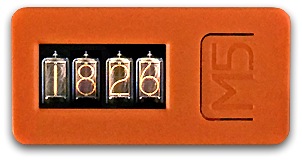
    I implemented the Nixie tube clock in uiFlow IDE for the M5StickC-Plus device. [image: 1599001318721-clock_h2.jpg] https://github.com/bstein2379/M5StickC-Plus-Nixie-clock Credit goes to @macsbug for the original idea. I just made it easier for new programmers and kids by using the uiFlow IDE.
  • GoPro remote controller

    1
    1
    1 Votes
    1 Posts
    5k Views
    No one has replied
  • PlatformIO Projects for BugC and Joystick + 2 M5StickCs using ESP-Now

    5
    1 Votes
    5 Posts
    10k Views
    P
    Really cool and we’ll documented. Being new to UIFLOW, is there a way to get that code into UIFlOW to play with it? Is there a .m5f I’m not seeing? Thanks, Paul
  • A simple calendar for cores

    3
    1
    0 Votes
    3 Posts
    7k Views
    A
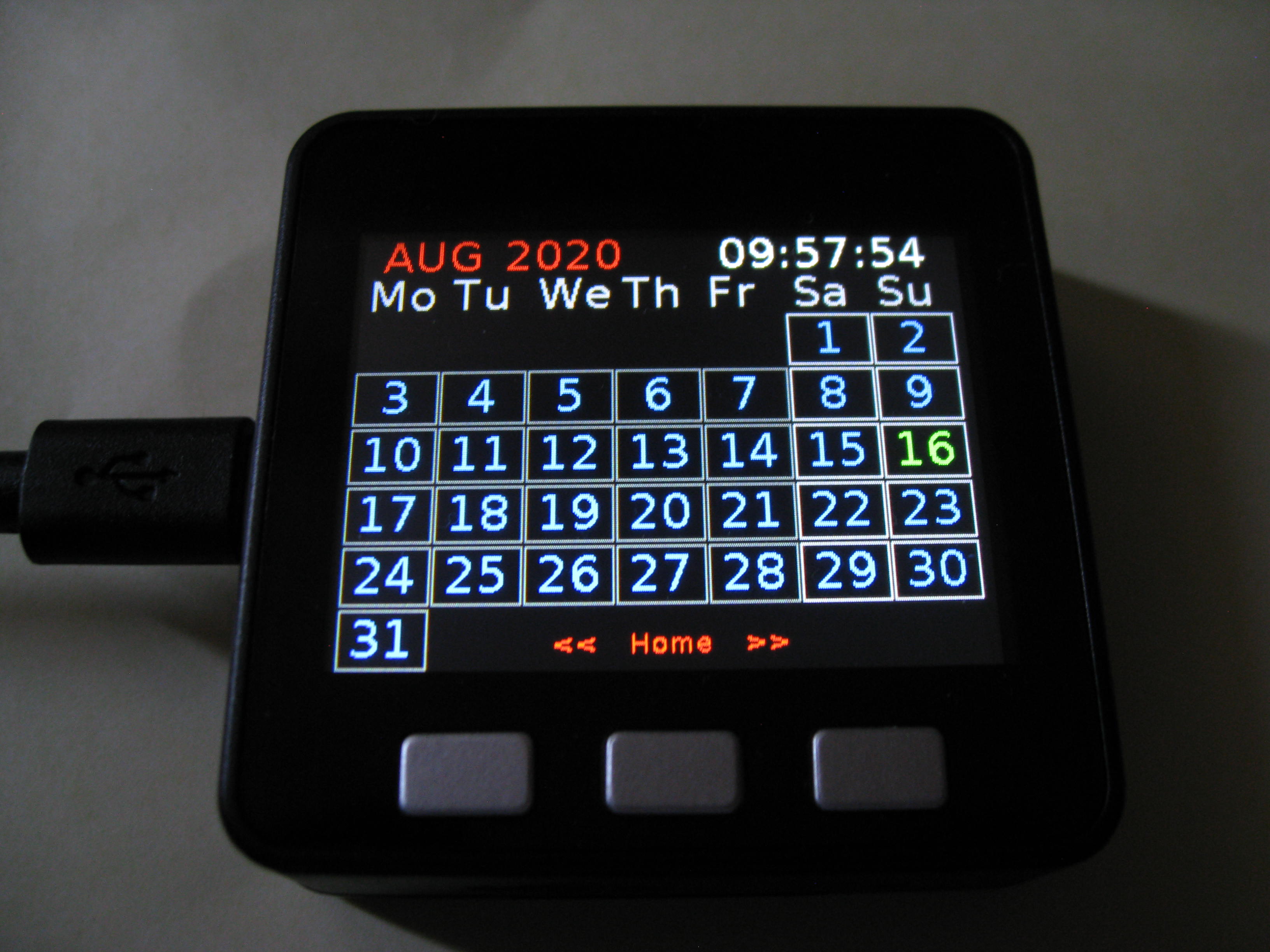
    @vkichline Thank you, I'm glad you like it. Once the upload issue is fixed, I'll share the m5f file, anybody then can easily change the color to their liking or infact modify it entirely if desired, there's most likely things in there that could have been done in a better way. (Feel free to point them out, I'm still learning)
  • RoverC / disassembly

    2
    0 Votes
    2 Posts
    4k Views
    m5stackM
    @taxfromdk difficult to change the battery. probably to cause damage. so don't do that
  • M5StickC + JoyC hat = control your Lego Batmobile

    1
    1 Votes
    1 Posts
    4k Views
    No one has replied
  • Power on and off with an external switch when panel mounted

    3
    0 Votes
    3 Posts
    6k Views
    J
    Thanks for the info. Solves the issue. So looking at the schematic I would connect to pin 28 for 5V and pin 1,3 or 5 for GND. Cheers.
  • M5Stack with RFID face as home Automation alarm panel

    3
    0 Votes
    3 Posts
    7k Views
    J
    @rhannink This looks good! I'm looking for a replacement of the Zipato Mini RFID tag reader I've been using the arm/disarm my Home Assistant alarm system. Unfortunately these are sold out everywhere. Your project sounds very interesting but at the location I'm planning to put this, there is no power... Would you think it would be possible to have the entire project (controller + RFID reader + screen) in deep sleep most of the time, and only wake it up when one of the physical buttons is pressed? Is there an estimate about how much power that would still use? Thanks in advance for any reply!
  • M5StickC + Joystick hat = control your Lego Batmobile

    3
    1 Votes
    3 Posts
    7k Views
    ajb2k3A
    Very Nice
  • 0 Votes
    1 Posts
    4k Views
    No one has replied
  • M5 Stack CGM Monitoring for Nightscout data from Dexcom

    5
    3 Votes
    5 Posts
    14k Views
    C
    Hi , I used your application before I discovered the M5stack. It was on a fb page for diabetes and nightscout and a fb member was so kind to burn It and adjust the parameters for me. It is an excellent application, thank you ! And now I am discovering myself the m5stack...what an incredible device and There are realy endless possibilities... Maybe Considering things or features to add In future : dark screen and not displaying the value until a button is pressed... need full darkness to sleep a feed with mqtt to connect to alexa and be able to ask the bg level to alexa When m5stack is on (i used it with Smartnest.cz to connect my ENV hat and am able to ask alexa the temperature of poolwater ) Good work anyway and thank you a lot !!!
  • Atom Switch & Modbus

    1
    0 Votes
    1 Posts
    3k Views
    No one has replied
  • GPS unit vs module

    1
    0 Votes
    1 Posts
    3k Views
    No one has replied