@felmue thanks for your message: i also had the "din base" and the "lan module" connected (but not used). disconnecting the lan module fixes the problem!!
Latest posts made by frank_b
-
RE: M5Stack CoreS3 SE + COMMU display problem when replugging USBposted in Arduino
-
M5Stack CoreS3 SE + COMMU display problem when replugging USBposted in Arduino
hi
i have a weird problem with the CoreS3 SE + COMMU. i have some RS485 device and data coming on a UART configured to the CoreS3 port (next to the USB-C connector). data is displayed/updated on the screen. during (arduino) development all worked fine. flashing code over USB automatically restarts the code and i have a nice display updating every second.
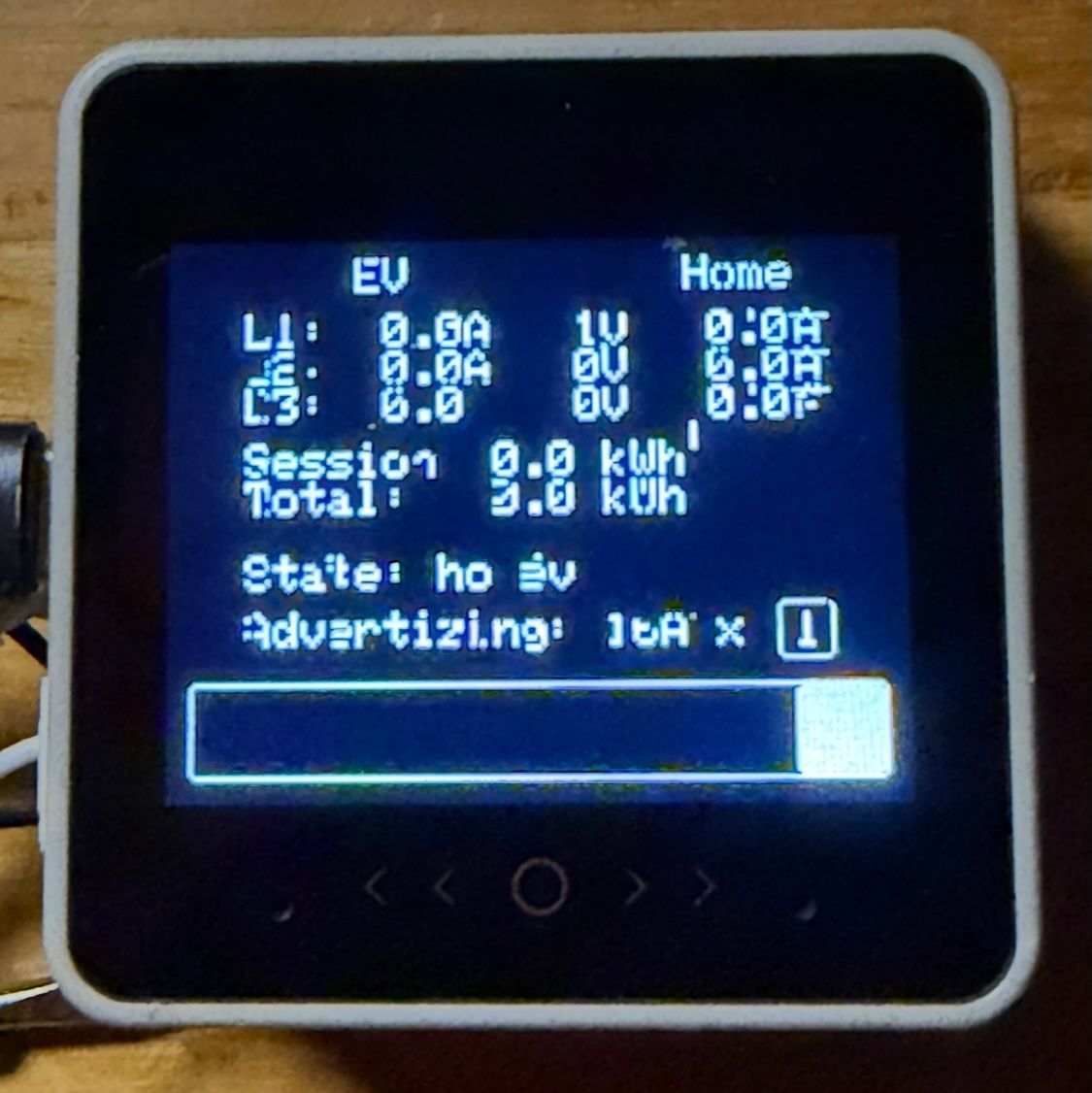
but i found out that not flashing the CoreS3 and just connecting USB-C for power (and logging) i get a somewhat scrambled display.
i have chatted quite a bit with the M5Stack AI chat but it is still not fixed. everytime i just connect USB-C it is a bit scrambled. re-flashing the same code give a nice and clean display. what is going on??
my initialization code is (most of it suggested by M5Stack AI):
auto cfg = M5.config(); cfg.internal_imu = false; cfg.internal_mic = false; cfg.clear_display = true; // Ensure display is cleared during init // Initialize M5 with proper power sequencing M5.begin(cfg); // Explicitly reset the AW9523 IO expander that controls display power Wire.begin(11, 12); // CoreS3 internal I2C bus pins Wire.beginTransmission(0x58); // AW9523 address Wire.write(0x00); // Reset register Wire.write(0x00); // Perform hardware reset Wire.endTransmission(); delay(100); // Re-initialize display with full reset M5.Display.init(); M5.Display.setBrightness(128); M5.Display.fillScreen(TFT_BLACK); M5.Display.display();the wire command actually give errors so i do not think it is doing anything:
E (3570) i2c.master: I2C transaction unexpected nack detected E (3571) i2c.master: s_i2c_synchronous_transaction(945): I2C transaction failed E (3572) i2c.master: i2c_master_multi_buffer_transmit(1207): I2C transaction failedhere is a "scrambled" picture:

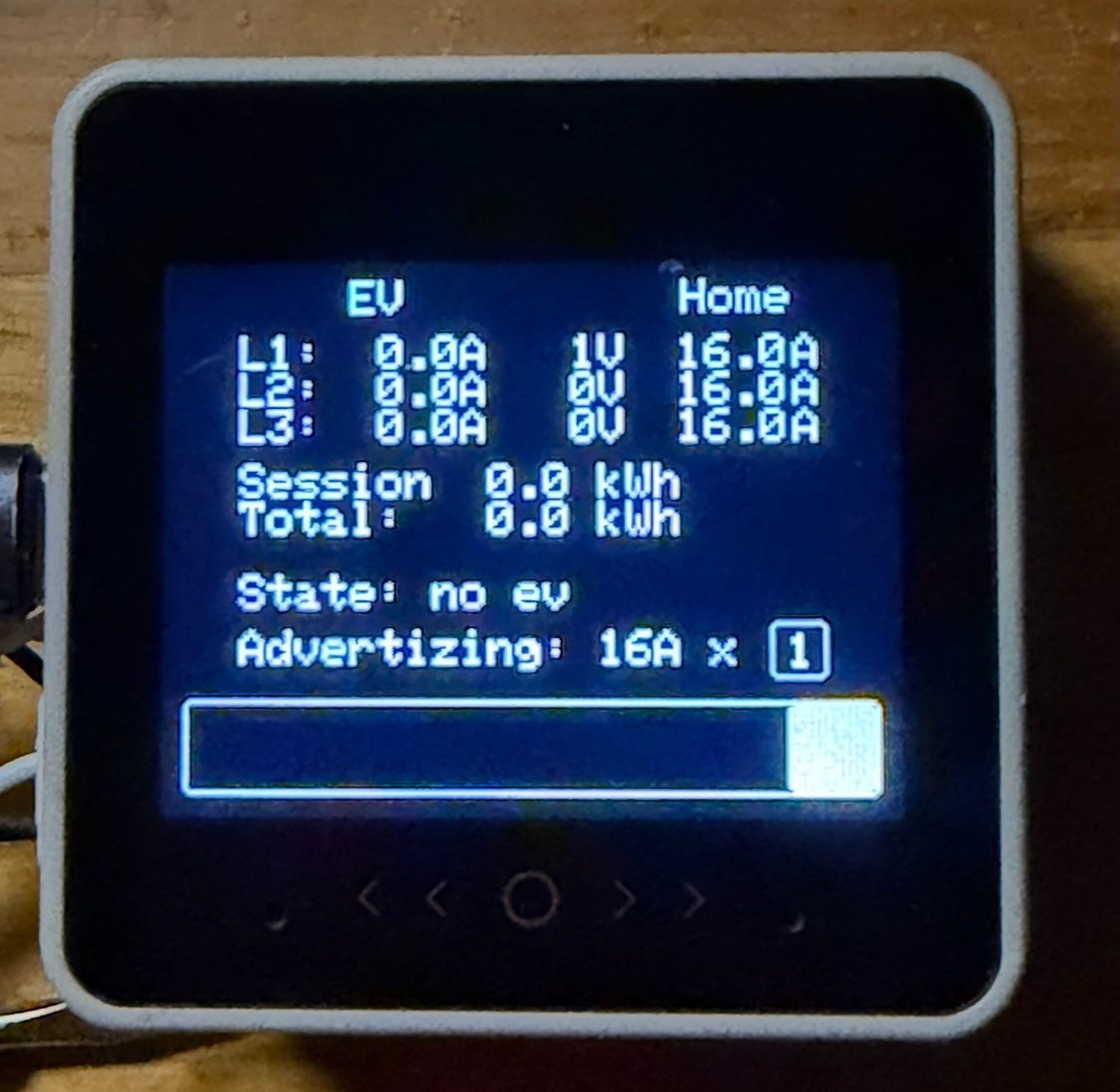
and this after reflash:

help?!
-
RE: Mini GPS/BDS Unit (AT6558) - how to hot start?posted in Arduino
oh, whoa, the gps unit actually has a tiny battery in it!
so does this mean it will always "hot start"? (if it has not moved too far)
how long will this battery last?
-
Mini GPS/BDS Unit (AT6558) - how to hot start?posted in Arduino
hello
i am using the at6558 gps unit with a m5paper. i only need gps data every now and then and turn keep it turned off most of the time to save power
now i do not want to wait for cold start the gps. how can i hot start it? is there code available?
thanks
frankgps documentation says:
Start Time: Cold start: 35 seconds, Warm start: 32 seconds, Hot start: 1 second
-
RE: lowest power m5paper?posted in Arduino
@felmue: nice!
just added a redraw of the screen and it all works:
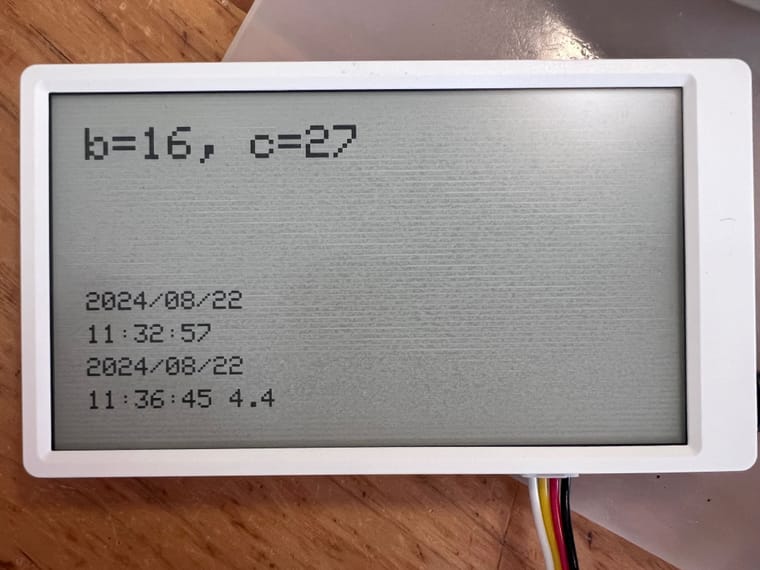
// turn on power to screen M5.enableEPDPower(); // redraw screen canvas.pushCanvas(0, 0, UPDATE_MODE_DU4); // turn on power to ports M5.enableEXTPower();the screen does get a bit of greyish line pattern over time:

-
RE: lowest power m5paper?posted in Arduino
@felmue said in lowest power m5paper?:
M5.disableEXTPower()
hi felix,
turning off external power works. great!
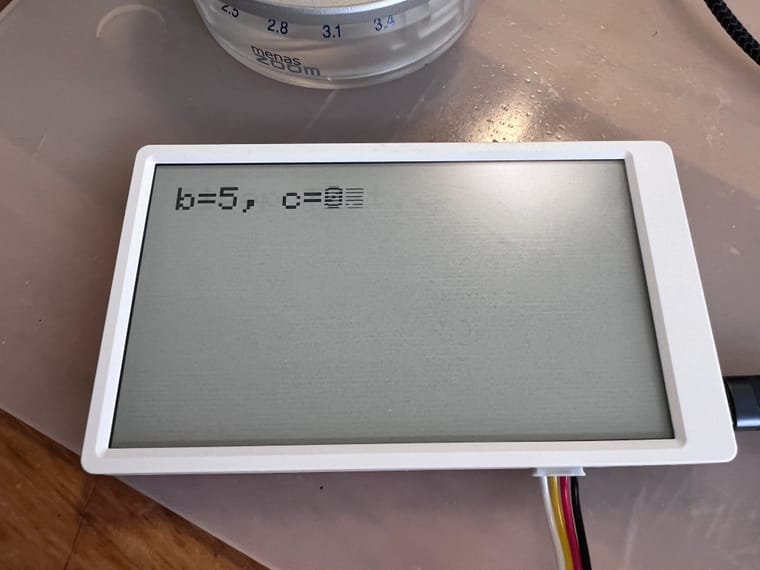
about turning back on the screen, please see code and screen pictures below. without M5.disableEPDPower() and M5.enableEPDPower() it all works nicely. with turning on/off the screen i do see sort of that it is running but the screen does not "work" properly - i.e. i do not see the number increasing. (and "the noise" is getting worse over time). what am i doing wrong?
thanks
frank#include <M5EPD.h> #include <EEPROM.h> // m5paper M5EPD_Canvas canvas(&M5.EPD); int count; int boot; void setup() { M5.begin(); M5.EPD.SetRotation(0); // cleanig the screen by alternating all pixels set, all pixels reset M5.EPD.Clear(true); // use rtc M5.RTC.begin(); canvas.createCanvas(960, 540); canvas.setTextSize(8); canvas.clear(); canvas.drawString("Sleep Test...", 50, 50); canvas.pushCanvas(0, 0, UPDATE_MODE_DU4); delay(1000); EEPROM.begin(10); boot = EEPROM.read(0); boot++; EEPROM.write(0,boot); EEPROM.commit(); count = 0; } void loop() { canvas.clear(); char printBuffer[64]; sprintf(printBuffer, "b=%d, c=%d",boot, count); canvas.drawString(printBuffer, 50, 50); canvas.pushCanvas(0, 0, UPDATE_MODE_DU4); count++; delay(1000); gpio_hold_en((gpio_num_t)M5EPD_MAIN_PWR_PIN); esp_sleep_enable_timer_wakeup(5 * 1000000); // turn off power to screen // M5.disableEPDPower(); // turn off power to ports M5.disableEXTPower(); // sleeps, wakesup and continues esp_light_sleep_start(); // sleeps, wakesup and restarts // esp_deep_sleep_start(); // shutsdown // M5.shutdown(5); // turn on power to screen // M5.enableEPDPower(); // turn on power to ports M5.disableEXTPower(); }without turning off/on power to screen:
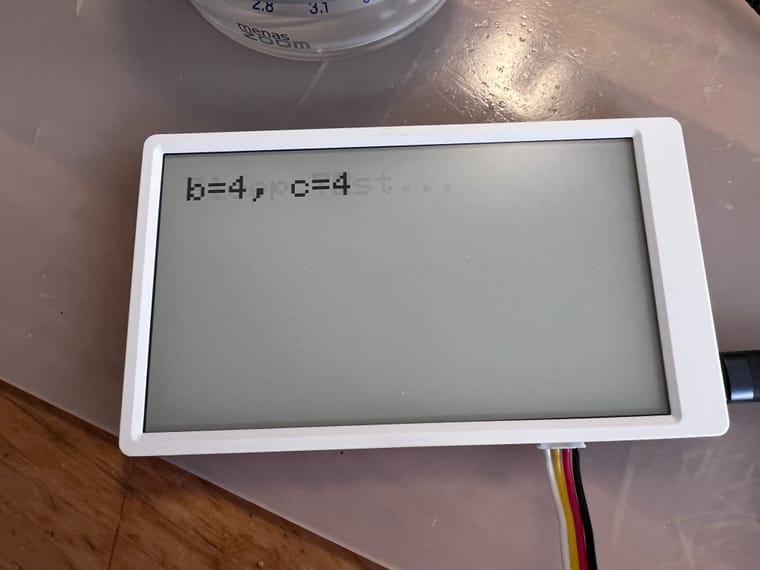
with turning off/on power to screen:
-
lowest power m5paper?posted in Arduino
hello
m5paper's display does not need power to keep displaying... i only want to update the info on screen every so often (e.g. every 10s)
i am using the light sleep right now:
gpio_hold_en((gpio_num_t)M5EPD_MAIN_PWR_PIN); esp_sleep_enable_timer_wakeup(10 * 1000000); esp_light_sleep_start();i read somewhere that the power to the screen can be disabled with M5.disableEPDPower(). that seems to work but how do you get i back on? there is M5.enableEPDPower() but that doesnot seem to be enough?
also: i have a gps attached and i see that that is still powered. is there a way to power down port.C?
any other things that can be powered down?
when this all works and is still nog good enough i will try to store state in eeprom and actually power down...
thanks
frank -
RE: M5Paper canvas size?posted in Arduino
strange effects were because using the wrong way to access port.C..
this is correct:
canvas.createCanvas(960,540); -
RE: Which Serial is Port.C on the M5Paper?posted in Arduino
answering my own question:
#include <M5EPD.h> #include <TinyGPS++.h> static const uint32_t GPSBaud = 9600; TinyGPSPlus gps; HardwareSerial ss(2); M5EPD_Canvas canvas(&M5.EPD); char latStr[10]; char lonStr[10]; char speedStr[10]; void setup() { M5.begin(); M5.EPD.SetRotation(0); M5.EPD.Clear(true); ss.begin(GPSBaud, SERIAL_8N1, 19, 18); canvas.createCanvas(960, 540); canvas.setTextSize(3); canvas.clear(); } void loop() { int b = ss.available(); while (b > 0) { gps.encode(ss.read()); double lat = gps.location.lat(); double lon = gps.location.lng(); double speed = gps.speed.kmph(); dtostrf(lat, 2, 2, latStr); dtostrf(lon, 2, 2, lonStr); dtostrf(speed, 2, 2, speedStr); canvas.clear(); canvas.drawString("Lat: " + String(latStr), 50, 100); canvas.drawString("Lon: " + String(lonStr), 50, 150); canvas.drawString("Speed: " + String(speedStr), 50, 200); canvas.pushCanvas(0, 0, UPDATE_MODE_DU4); } }