LaneLine Tracker with UnitV2 is stopped when setting some value.
-
Hi
I try to change some setting for Lane Line Tracker recognition.
But, Line Track is stopped when I push update Button on Browser GUI.
(camera stream keep running.)I try it:
- Start UnitV2 and Select "LaneLine Tracker" on Browser GUI.
- Change L_max text box value 0 to 30 .
- Click “update” button.
- Line tracking process is stopped. but camera stream keep running.
Please some advice.
Thank you. -
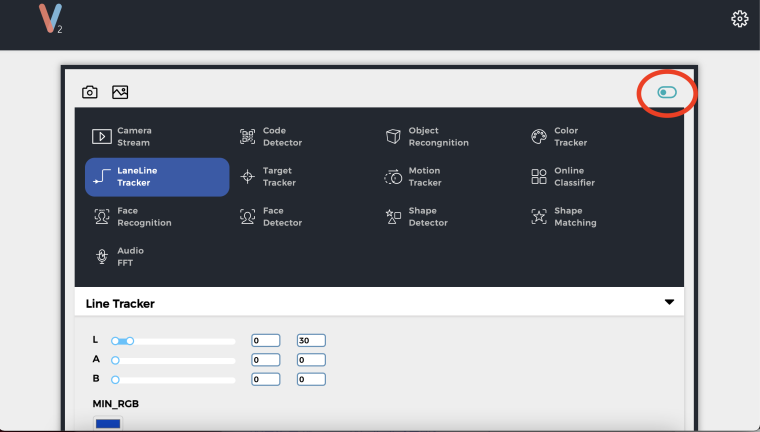
There is a little switch at the top right, try clicking that.
-
Thank you for replying.
I try to clicking little switch and there color change black to light blue.
But I had the same problem.I try it:
- Power on and start UnitV2 .
- Click little switch and there color change black to light blue.
- Select "LaneLine Tracker" on Browser GUI.
- Change L_max text box value 0 to 30 .
- Click “update” button.
- Line tracking process is stopped. but camera stream keep running.
-
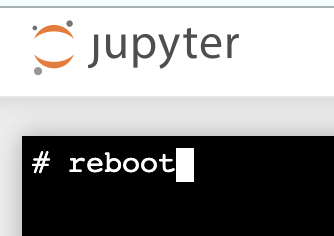
go into jupyter and enter terminal, type "reboot" and check if it works, sometimes the system needs a fresh reboot?
-
I reboot with terminal and try LaneLine Tracker setting.
but I had same problem...I try it:
- Power on and start UnitV2 .
- Click gear icon and select "Switch to notebook mode".
- Open Jupyter main page.
- Click "New" and select "Terminal".
- type "reboot" and open camera stream page.
- Click little switch and there color change black to light blue.
- Select "LaneLine Tracker" on Browser GUI.
- Change L_max text box value 0 to 30 .
- Click “update” button.
- Line tracking process is stopped. but camera stream keep running.
Maybe, I think my unitV2 need initialize firmware.
Where is unitv2 initialize procedure?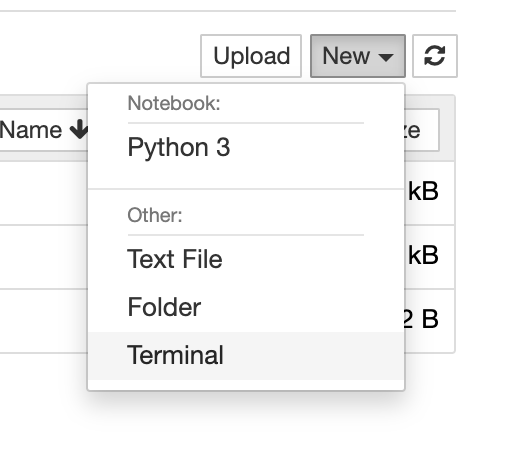
-
This post is deleted!

Hello! It looks like you're interested in this conversation, but you don't have an account yet.
Getting fed up of having to scroll through the same posts each visit? When you register for an account, you'll always come back to exactly where you were before, and choose to be notified of new replies (either via email, or push notification). You'll also be able to save bookmarks and upvote posts to show your appreciation to other community members.
With your input, this post could be even better 💗
Register Login