UiFlow 2.1.3 Web app export to .py for use on CoreS3
-
I want to be able to load small apps I've created in UiFlow 2.1.3 web app into the UiFlow 2 "APP LIST" running on my CoreS3.
It looks like I can only do that if they are .py files.
How can I export the UiFlow 2.1.3 PYTHON section as a .py file? Or load them directly into the UiFlow 2 "APP LIST" running on my CoreS3.
Clearly the UiFlow 2.1.3 programmers must have included such an obvious function; right?
-
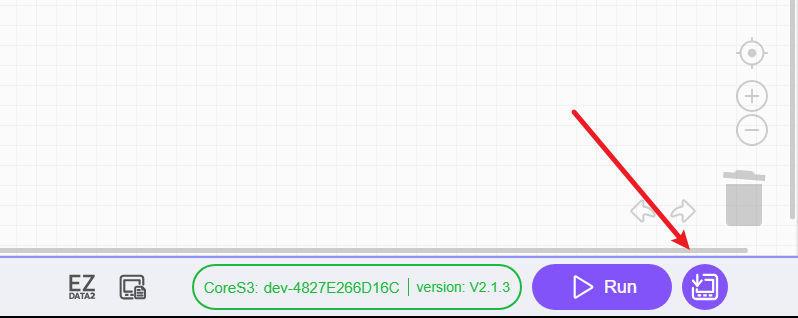
This will save a copy of the py file to the apps directory. You can then see it in APP.LIST.
-
@lbuque This is not the behavior I'm seeing at all.
For me, pressing that button will download the file to the CoreS3 and replaces the UiFlow2 app on the CoreS3 as well.
The only way I can ever get back to UiFlow2 on the CoreS3 is to reload it completely from the M5Burner.
-
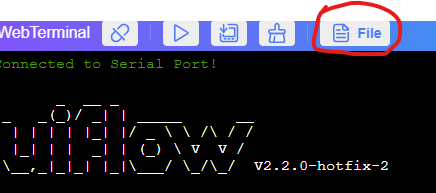
The only way I found was to copy the Python code from UIFLOW2, paste it in Thonny and save it as a .py file. Then upload it using the WebTerminal in UI FLoW 2 interface
-
Hello.
Has this been fixed? It still overwrites the whole UiFlow2 app and I have to use the M5Burner to bring it back. Making the .py file manually and uploading it to the app folder is a pain.
I am using a M5Go / Core1. -
@sssouthpaw Yes I think the only way to do it is to copy the python file and then paste it into Thonny or VSCode before uploading through the file manager in the UIFlow terminal to get the python file on the device.


Hello! It looks like you're interested in this conversation, but you don't have an account yet.
Getting fed up of having to scroll through the same posts each visit? When you register for an account, you'll always come back to exactly where you were before, and choose to be notified of new replies (either via email, or push notification). You'll also be able to save bookmarks and upvote posts to show your appreciation to other community members.
With your input, this post could be even better 💗
Register Login