🤖Have you ever tried Chat.M5Stack.com before asking??😎
  • MeowUSB&BLE: Check out my new firmware for the Cardputer (and ADV)!

    1
    0 Votes
    1 Posts
    788 Views
    No one has replied
  • Fun screensavers and visual demos

    1
    0 Votes
    1 Posts
    1k Views
    No one has replied
  • M5Apps - multiple apps installer

    18
    3 Votes
    18 Posts
    18k Views
    D
    @cricri There is FDISK utility built-in. You can list all the partitions and delete those are not used anymore. System partitions are read-only, so you will not delete anything extra. Also you can create new partition at any time. For example, the Game Station requires spare partition for cache. so just add it in FDISK with a few clicks. @dzepetko said in M5Apps - multiple apps installer: How can i install meshtastic and 4exampe winamp? - i have error not enough space.. ;/ By default the SDK (ESP-IDF) makes firmware bundle with default partitions, But the thing is: application could not use it at all or use one of them. So we can cook a binary with only partitions that really need by the app. This can save much space.

  • My project that I am currently making with the Tab5: Project_R001

    robot
    1
    1 Votes
    1 Posts
    716 Views
    No one has replied
  • Using PlatformIO (VS Code) with Tab5

    5
    0 Votes
    5 Posts
    5k Views
    P
    @kuriko Thank for this information, my question is wich board type are you choose in PlatformIO
  • Bruce for Cardputer & ADV & RNF24 MOD

    1
    0 Votes
    1 Posts
    1k Views
    No one has replied
  • D&D Dice Roller for Cardputer Adv (DiceRoller-CardputerAdv)

    dice
    1
    4
    1 Votes
    1 Posts
    687 Views
    No one has replied
  • M5CardputerADV - add PSRAM

    1
    1 Votes
    1 Posts
    724 Views
    No one has replied
  • M5CardputerADV - NB-IoT Cap

    1
    0 Votes
    1 Posts
    557 Views
    No one has replied
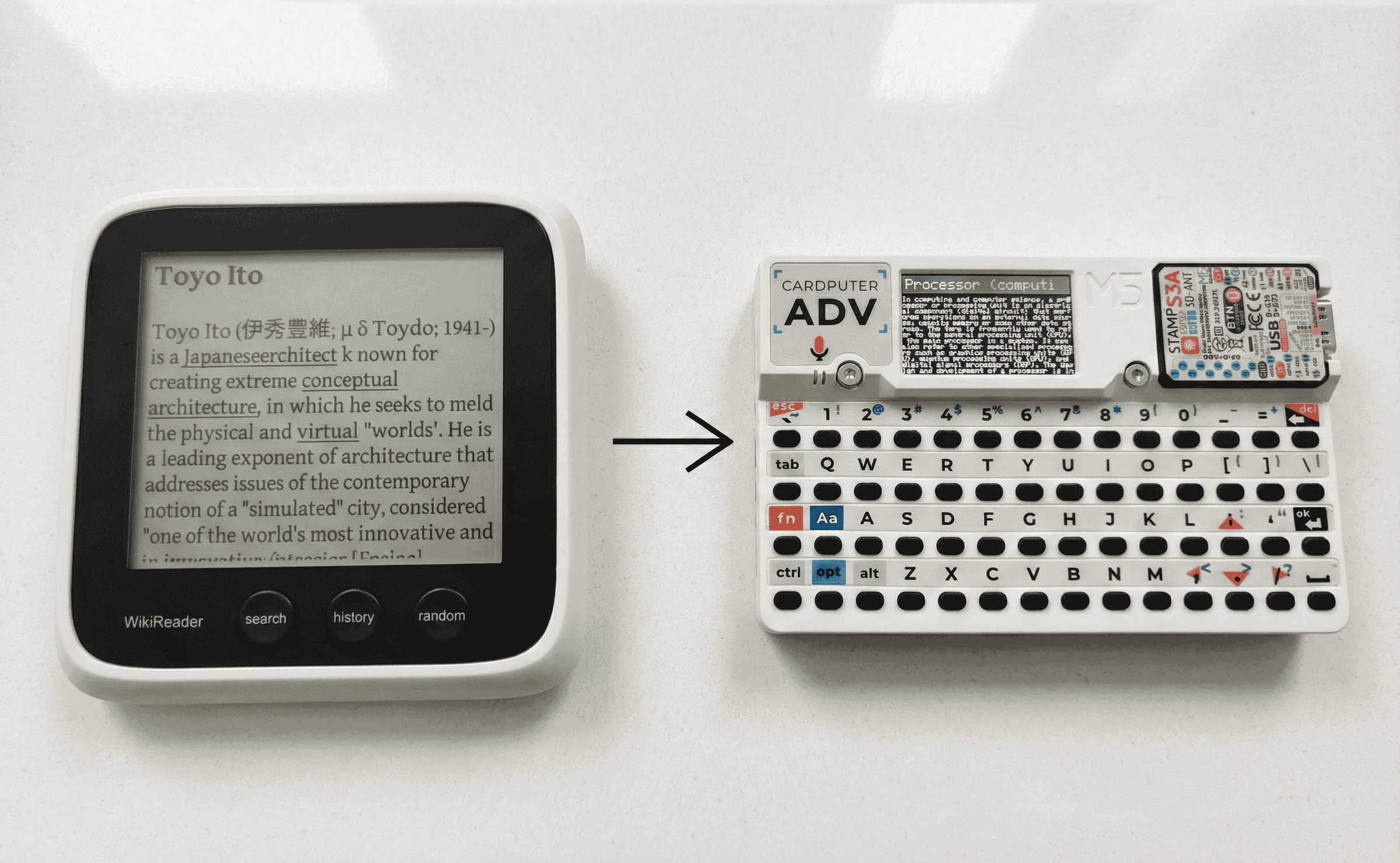
  • Introducing Wikiputer

    1
    2
    1 Votes
    1 Posts
    2k Views
    No one has replied
  • i make a M5 radio time simulator

    1
    0 Votes
    1 Posts
    489 Views
    No one has replied
  • Christmas Tree Pendant

    1
    0 Votes
    1 Posts
    495 Views
    No one has replied
  • MIDI Trigger

    1
    0 Votes
    1 Posts
    506 Views
    No one has replied
  • Pomodoro Timer Dial for the M5Stack Dial v1.1

    1
    0 Votes
    1 Posts
    362 Views
    No one has replied
  • M5 Data Glove

    6
    1 Votes
    6 Posts
    12k Views
    D
    well done good to see creativity still alive keep going. Stu.
  • BME 680 and M5 Cardputer Environmental Monitoring System

    1
    0 Votes
    1 Posts
    708 Views
    No one has replied
  • Tetris For Tab5

    2
    1
    2 Votes
    2 Posts
    1k Views
    S
    [image: 1764835872556-tetris2.png] Touch & M5 Stick2 module is also support! plug M5 Stick2 module into Port.A And have fun with you Stick2 Module Control!
  • WaveFlow Player For TAB5

    1
    1
    1 Votes
    1 Posts
    693 Views
    No one has replied
  • MicroPython Shell

    3
    1
    3 Votes
    3 Posts
    3k Views
    M
    Nice! That looks great :)
  • M5Stack Tab5 JPEG Viewer

    4
    1
    0 Votes
    4 Posts
    3k Views
    S
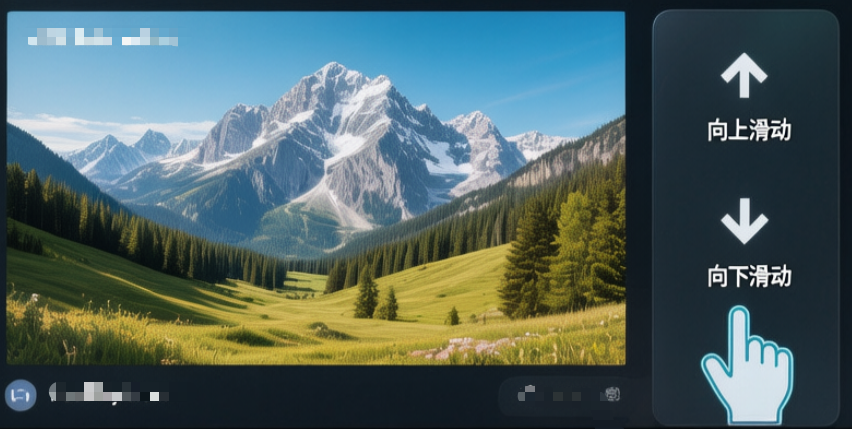
    To browse through your collection of JPEG images: JPEG Viewer for M5Stack Tab5 To browse through your collection of JPEG images: Step1: User Python Script Convert the JPEG Files to 1280x720 in BASELINE Format. (You Can Download the Python Script from Github) Step2: Copy JPEG Files to TF CARD. Step3: simply swipe up or down on the RIGHT SIDE of the screen. Swipe UP: View the next photo in the sequence. Swipe Down: View the previous photo. JPEG convert Download: https://github.com/musicaJack/M5Stack_Tab5_JPEG_Converter/blob/main/convert.py