Global Moderators
Private
Forum wide moderators
Posts
-
RE: MQTT connection
-
RE: ⚠️ M5Stack Core2 v1.3 - Ouroboros-like power loop -
Hello @YO3HJV
yes, I measured the current from the battery with this mA-meter and also used the AXP192 registers.
Thanks
Felix -
RE: ⚠️ M5Stack Core2 v1.3 - Ouroboros-like power loop -
Hello @YO3HJV
glad to hear you figured it out.
I was just setting up a test to see if I get this 400 mA power loop too with my M5Core2; but I do not.
When I set input mode I see about 82 mA drawn from the battery. When I set output mode I see about 99 mA drawn from the battery. (Note: an LED is connected to the Grove port.)
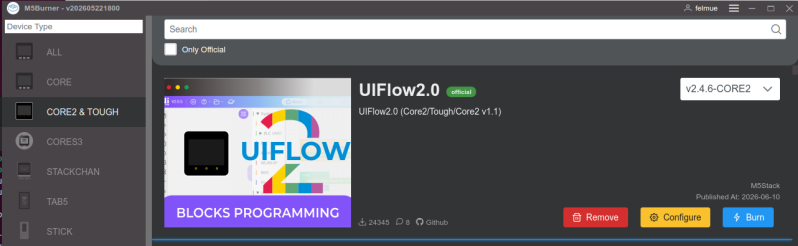
In case your still interested in my UIFlow2 test program. It's in UIFlow2 Project Zone called: M5Core2_Input_Output_Test_UIFlow2.4.6
Thanks
Felix -
RE: Stufenlose Drehzahl einer Pumpe
-
RE: Stufenlose Drehzahl einer Pumpe
Hello @studi97
ja, ich denke, das ist machbar; allerdings hat M5Stack, soviel ich weiss, keinen wasserdichten Temperatursensor im Sortiment.
Moegliche Komponenten:
0-10V Steuerspannung: M5Stack Unit DAC2.
Wasserdicher Temperatursensor: DS18B20
Viel Erfolg!
Thanks
Felix -
RE: M5PaperColor: Can't read both SHT40 and battery data?
Hello @Shipbrook
M5Unified uses Wire1 for internal I2C and Wire for external I2C.
The example for SHT40 incorrectly uses Wire which causes issues as soon as other internal I2C communication is required, e.g. reading battery status.
The quick way to fix this is replacing Wire with Wire1 in below line:
//if(!sht4.begin(&Wire, SHT40_I2C_ADDR_44, SHT_SDA_PIN, SHT_SCL_PIN, 400000U))
if(!sht4.begin(&Wire1, SHT40_I2C_ADDR_44, SHT_SDA_PIN, SHT_SCL_PIN, 400000U))
The better way is to get the actual port used by M5Unified for internal I2C and the use that information:
i2c_port_t PortIn = M5.In_I2C.getPort();
TwoWire * WireIn = (PortIn == 1) ? &Wire1 : &Wire;
if(!sht4.begin(WireIn, SHT40_I2C_ADDR_44, SHT_SDA_PIN, SHT_SCL_PIN, 400000U))
Thanks
Felix -
RE: atomdtu2-NB-IOT sim7028 not working
Hello @daniyyel
ah, ok. So the correct documentation is here.
Have a look at the code examples in Quick Start Guide to see how the M5IOE1 needs to be programmed to turn on power etc.
The function is called
SIM7028_EN()and first turns on power then resets the modem.Thanks
Felix -
RE: atomdtu2-NB-IOT sim7028 not working